Now taking early inquiries. Services are planned to begin in 2027; aerial work starts once pilot certification, insurance and equipment are in place. Tell us what you’d like to see
Mobile networking

A working network at a site that has none.

Rugged network cases, Wi-Fi, internet backhaul, wireless links and cameras for construction sites, events and remote facilities. Built and tested before it leaves our shop, so setup on site is plug-in-and-verify.

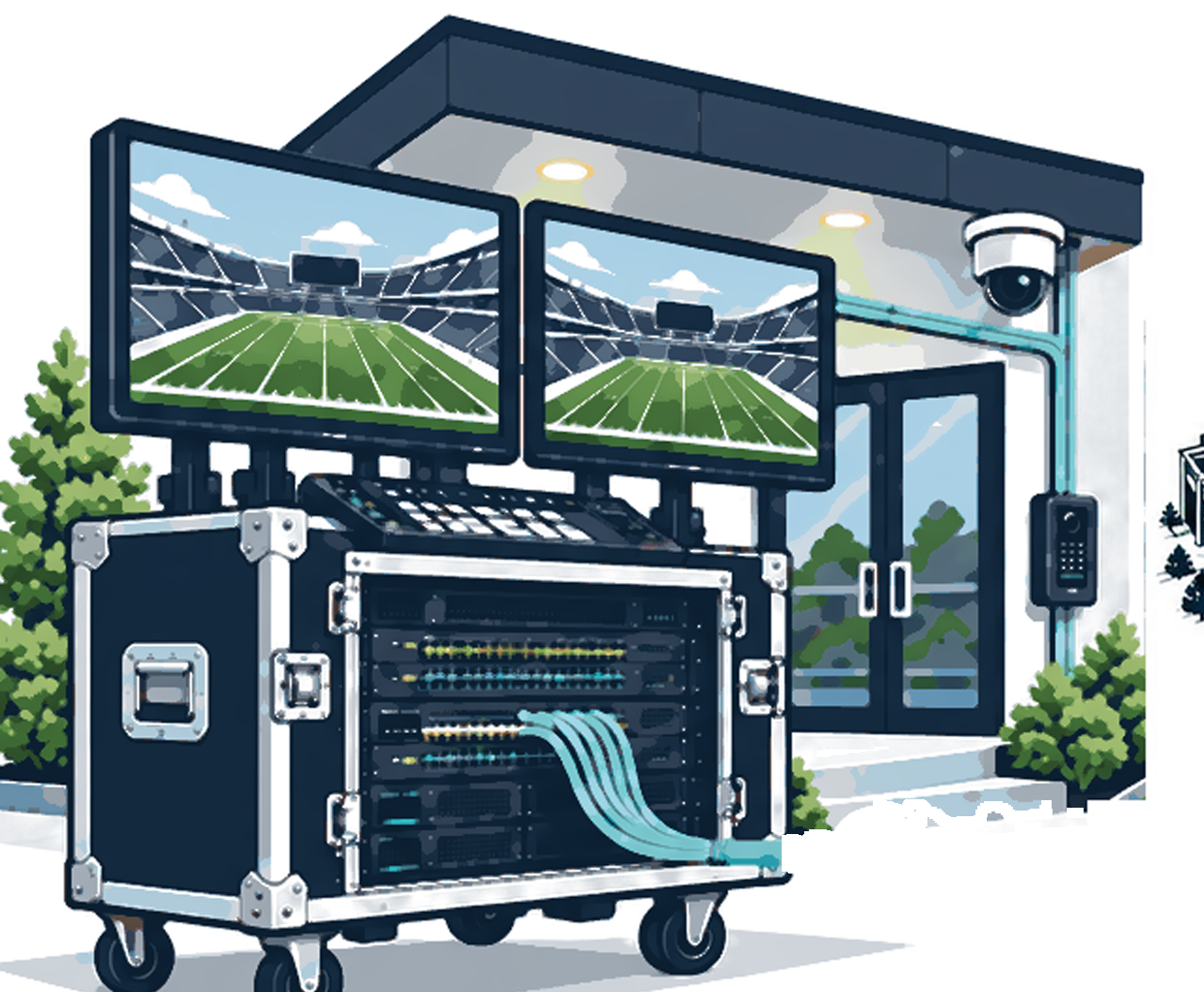
Illustration of a rack-mounted portable network case with monitors and a security camera at a building entranceMobile Networking services ↓
Typical setups

Which of these sounds like you?

Construction site

Network case in the field office, outdoor Wi-Fi across the work zones, cameras on the perimeter, cellular or fixed-wireless internet with failover. It moves as the footprint changes.

Event or compound

Production, ticketing and vendors on separate networks, a tested uplink, labeled drops, and a technician plan from load-in to strike.

Remote facility

A network core, a primary and backup internet path, battery runtime sized to the site, and remote access so most problems are fixed without a drive.

01

Site assessment & deployment plan

The problem

Buying hardware before you understand the site is how teams end up with a dead spot, no power at the camera pole, or an uplink that can’t carry the video.

How it helps you

We look at your site first and tell you exactly what you need, so you don’t buy the wrong equipment.
  • Any temporary site
  • Before purchasing
  • Recurring deployments
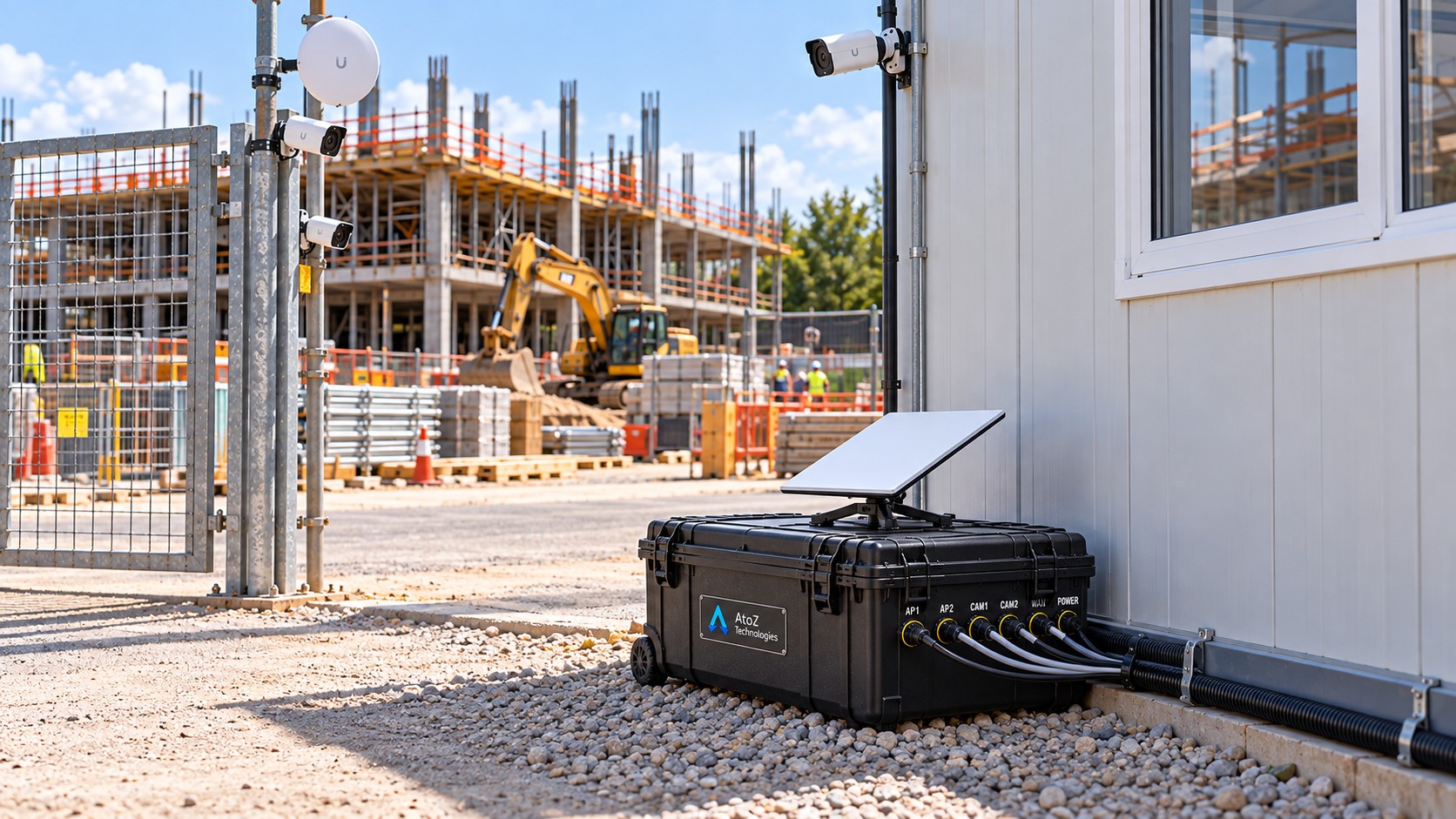
Portable network case with satellite dish, labeled waterproof ports and cameras at a construction siteConcept image. A photo of our own work will replace it.

How we solve it

  1. Collect the factsSite plan or sketch, photos, how long the deployment lasts, who needs access, what the network has to carry (video, voice, cloud apps, guest use) and what power is available.
  2. Look for the blockersLine of sight between points, signal strength by carrier, sky view for satellite, mounting options, and any access or safety restrictions.
  3. Write the scopeA short plan with recommended equipment, placement priorities, a power budget, and a list of anything still unknown.
  4. Plan the round tripPre-flight configuration, pack list, setup order, acceptance checks and a labeled teardown, so the second deployment is faster than the first.

What you receive

  • Scope with equipment list and placement priorities
  • Known constraints and open questions
  • Setup and teardown checklist
  • Asset list for packing and recovery
02

Rugged network case

The problem

A temporary site needs dependable connectivity and cameras but has no equipment room, and a loose rack of gear won’t survive being moved.

How it helps you

One ready-to-use box that gives a job site internet, Wi-Fi and cameras, set up before it arrives.

  • Remote sites
  • Event production
  • Temporary surveillance
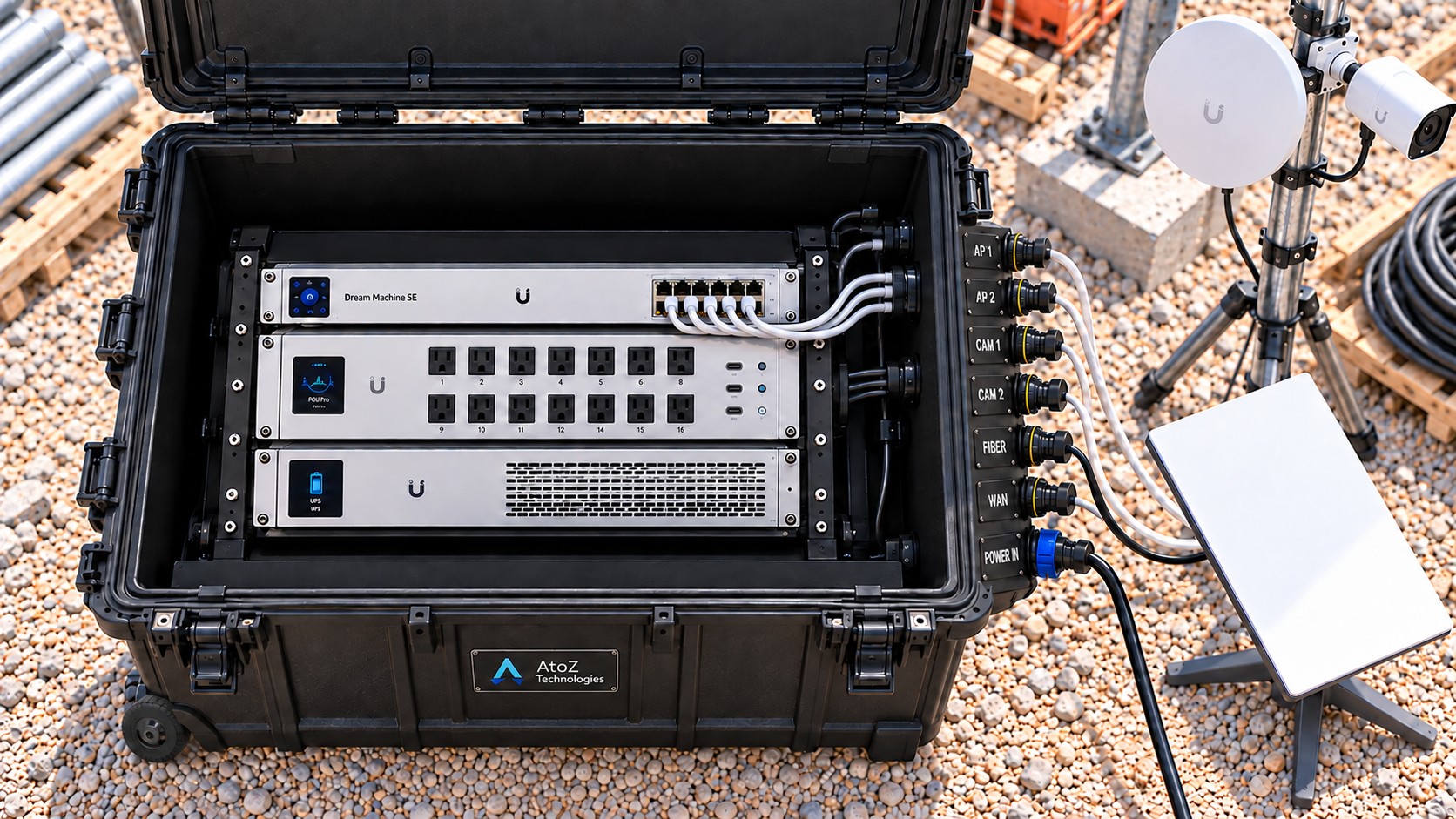
Portable network case opened to show a rack-mount gateway, PDU and UPS with labeled waterproof ports and a satellite dishConcept image. A photo of our own work will replace it.

How we solve it

  1. Size the loadWe list every device the site must power and connect, total the PoE budget, and choose hardware with headroom.
  2. Build the core into a hard caseA watertight transport case holds a rack-mount gateway and controller (we plan to use UniFi gear such as a Dream Machine SE), a PoE switch and a rack PDU. There are mounts for access points inside and a mount on the lid for a Starlink dish.
  3. Put every connection on the wallWaterproof bulkhead connectors on the case wall carry Cat5e/6, power and, where needed, fiber, so you connect cables without opening the case. Each port is labeled with what it serves (WAN, AP 1, CAM 2), and the same names appear on the setup card.
  4. Configure and burn inSeparate networks (VLANs), security rules and remote-management access are set up in our shop, then the case runs under load before it ships.
  5. Hand off a setup cardA one-page port map and checklist so a non-network technician can deploy it and confirm it works.

What you receive

  • Configured case with labeled waterproof port wall
  • Port map and power budget
  • Setup and verification checklist
  • Remote-management access

Worth knowing: a closed case may be weather-resistant, but open lids, cable entries, connectors and attached devices each need their own protection when in use. We design around how it will actually be used. The kit is a planned build; the picture is a concept image.

03

Rapid-deploy Wi-Fi

The problem

Crews and devices show up before any permanent wireless exists, and a single router in a trailer doesn’t cover a work zone.

How it helps you

Everyone on site gets a dependable signal, including the corners that normally drop out.

  • Construction trailers
  • Pop-up offices
  • Event compounds
  • Outdoor work zones

How we solve it

  1. Map where people workWe plan around where people and devices are, not around the floor plan. Capacity matters as much as coverage.
  2. Place access pointsIndoor or outdoor APs are positioned and powered over PoE, with mounts suited to poles, trailers or temporary structures.
  3. Separate the trafficStaff, guests and equipment get their own SSIDs and VLANs, with authentication appropriate to each.
  4. Test in the busy spotsWalk-test and speed-test the areas with the most devices, then leave a coverage record.

What you receive

  • Working wireless network
  • Coverage and speed test results
  • SSID and security summary
  • Handoff notes for site staff
04

Internet backhaul & failover

The problem

A good local network is useless without a reliable way out to the internet or headquarters.

How it helps you

We get you online even where there’s no cable internet, with a backup if the main connection fails.

  • No wired ISP
  • Weak cellular areas
  • Uptime-sensitive operations
Outdoor Wi-Fi antenna on a mountPhoto: Tony Webster · CC BY-SA

How we solve it

  1. See what is actually availableFiber, cable, fixed wireless, cellular signal by carrier, and satellite sky view, checked at the site and not from a coverage map.
  2. Match the link to the needVideo uploads, VoIP and remote desktops each need different bandwidth and latency. We size to the real use.
  3. Configure primary and backupAutomatic failover and failback between uplinks, with antennas placed for the best signal and documented settings.
  4. Test and write the recovery stepsWe pull the primary link on purpose to prove the backup works, then document what to do if both fail.

What you receive

  • Connectivity plan
  • Primary and backup uplink configuration
  • Failover test results
  • Recovery procedure

Worth knowing: cellular and satellite speeds vary with location, congestion and weather. We report measured results at your site, not advertised speeds.

06

Temporary surveillance & field cameras

The problem

Equipment and property need to be watched now, and a camera that can’t see what matters is just a box on a pole.

How it helps you

Cameras watching the right spots, recording, and viewable from your phone by the people you choose.

  • Construction sites
  • Temporary storage
  • Event perimeters
  • Remote assets

How we solve it

  1. Decide what each camera must seeIdentifying a person or a license plate needs a different view than general awareness. That drives placement and resolution.
  2. Plan mounting, power and dataPoles, trailers or buildings, PoE cable runs, and local power or battery backup where needed.
  3. Set up recording and accessRetention length, motion alerts and authorized user access, with camera traffic kept apart from guest Wi-Fi.
  4. Check day and nightWe verify image quality in daylight and at night on site, and adjust angles and exposure.

What you receive

  • Camera coverage plan
  • Tested live views
  • Recording and retention settings
  • Authorized-user access list
07

Portable power & UPS

The problem

A brief power interruption can take the entire temporary network down, and cameras go dark exactly when something happens.

How it helps you

Your equipment keeps running through short power cuts and shuts down safely when it has to.

  • Remote cameras
  • Network cases
  • Temporary command posts

How we solve it

  1. Total the real loadEvery device and the PoE budget, measured and not guessed.
  2. Size the runtimeBattery backup is matched to the outage you need to ride through, with generator start-up behavior in mind.
  3. Protect and distributeSurge protection and clean power distribution with labeled circuits.
  4. Plan the recoveryWhat shuts down, in what order, and how it comes back on its own.

What you receive

  • Power budget
  • Runtime assumptions
  • Recovery checklist
08

Network separation & security

The problem

Guest devices, surveillance and operational systems should not share unrestricted access to each other.

How it helps you

Guests can use the Wi-Fi without ever touching your cameras or business systems.

  • Sites mixing guest Wi-Fi with cameras
  • Payment or operational systems

How we solve it

  1. Define the zonesWho and what needs to talk to what, written down before any rule is created.
  2. Build the separationVLANs and firewall rules that enforce it, with management access locked down.
  3. Test the boundariesWe check that allowed traffic works and blocked traffic is really blocked. Labels alone prove nothing.

What you receive

  • Segmentation matrix
  • Network configuration
  • Test results for allowed and denied paths
09

Remote monitoring & managed support

The problem

A field or event network can fail long before anyone visits, and the people on site are rarely network technicians.

How it helps you

We keep an eye on it for you and fix problems quickly, so you aren’t left troubleshooting.

  • Multi-site deployments
  • Unattended or lightly staffed sites
  • Recurring events and seasonal operations

How we solve it

  1. Decide what to watchUplinks, switches, access points, cameras and power status that matter to the job, chosen with you.
  2. Set alerts that mean somethingThresholds tuned so a dropped uplink or a dead camera reaches a person, and routine noise does not.
  3. Support the people on siteA clear way to report problems, remote troubleshooting first, and a technician dispatched when a visit is actually needed.
  4. Cover the event or seasonSupport hours matched to the deployment, from setup through teardown, with written shift handoffs on longer jobs.
  5. Report and improveA short summary of outages, changes and recommendations at the end of the deployment or on a regular schedule.

What you receive

  • Monitoring scope and alert recipients
  • Remote support process with stated hours
  • On-site response terms
  • Deployment or period summary

Worth knowing: coverage hours, response targets and exclusions are written into your proposal. We don’t make unsupported 24/7 promises.

Questions

Straight answers.

Can the rugged case operate in rain?

A case may be weather-resistant when closed, but open lids, cable entries, power connectors and attached devices need their own protection. We design around the conditions of actual operation.

Does it need an internet connection?

No. The local network and cameras can run without internet if configured that way. Remote viewing and cloud features need a suitable uplink.

Can cameras and guest Wi-Fi share the same system?

Yes, when it is sized and segmented properly. Separate VLANs and firewall rules keep guests away from cameras and management systems.

How is it powered?

It depends on utility or generator power, the PoE load and how long it must stay up on battery. We calculate a power budget for each deployment.

Can someone watch it remotely after setup?

Yes. Remote monitoring and support are covered under Remote monitoring & managed support on this page.

Working on a farm or in a pit?

Barns, shops, pumps and pits are far apart. See how we connect and monitor them.

Tell us what you’re trying to get done.

A short description is enough. We’ll reply with questions or a recommended next step, not a generic package.

Request a quote

or email [email protected] or call (989) 640-5963